Screenshot annotations
made simple
Paste a screenshot, mark it up with arrows, text, highlights, blurs, and more — then copy it right back to your clipboard. Fast, focused, and familiar.
How it works
Three steps from screenshot to shared annotation.
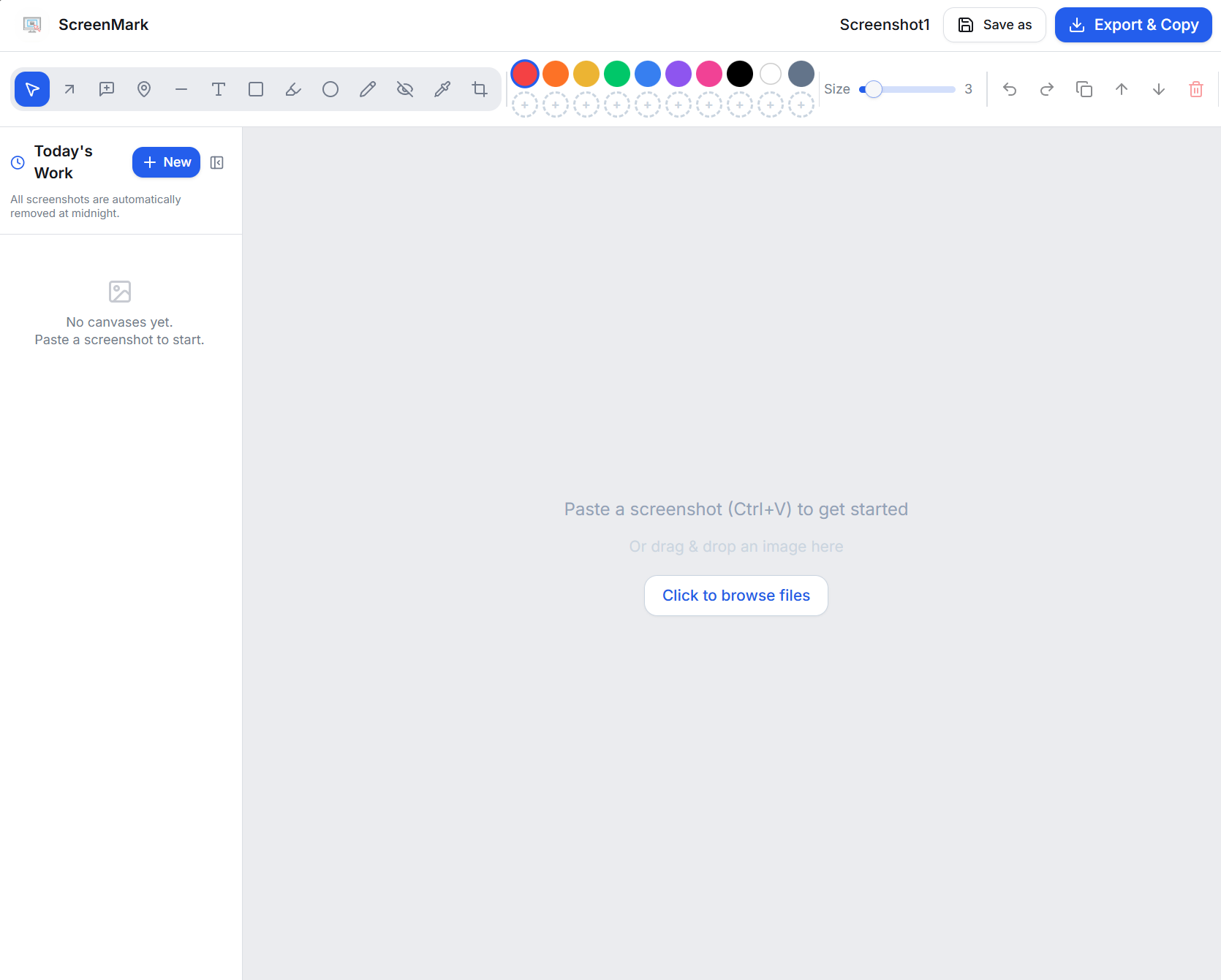
Paste your screenshot
Hit Ctrl+V to paste from clipboard, drag & drop an image, or open a file. Your canvas is ready in an instant.
Works with any image — browser screenshots, app captures, design mockups, and more.
Mark it up
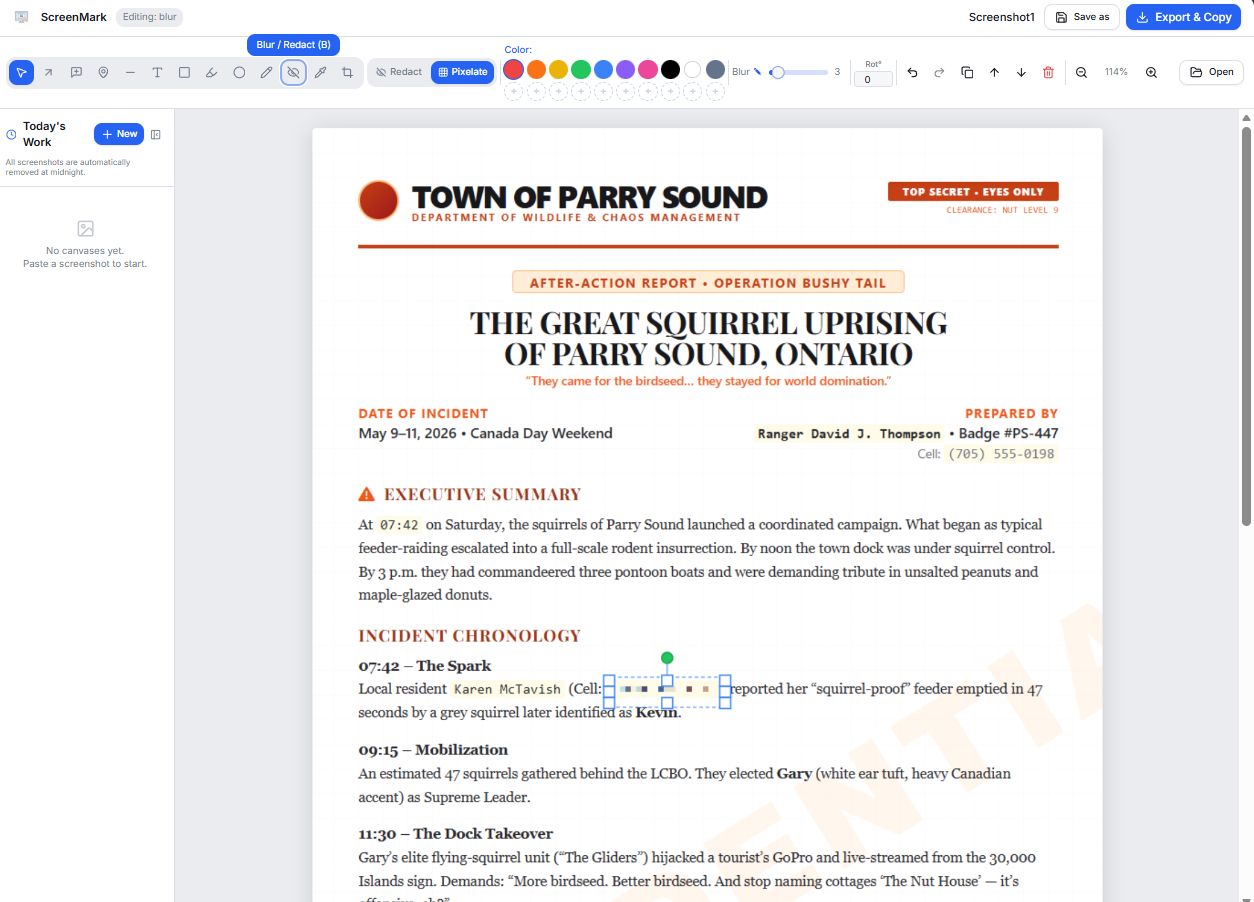
Use arrows, text, rectangles, highlights, circles, pin markers, and freehand drawing to communicate exactly what you mean. Blur or redact sensitive info with one click.
Full undo/redo history — never worry about making mistakes.
Export & share
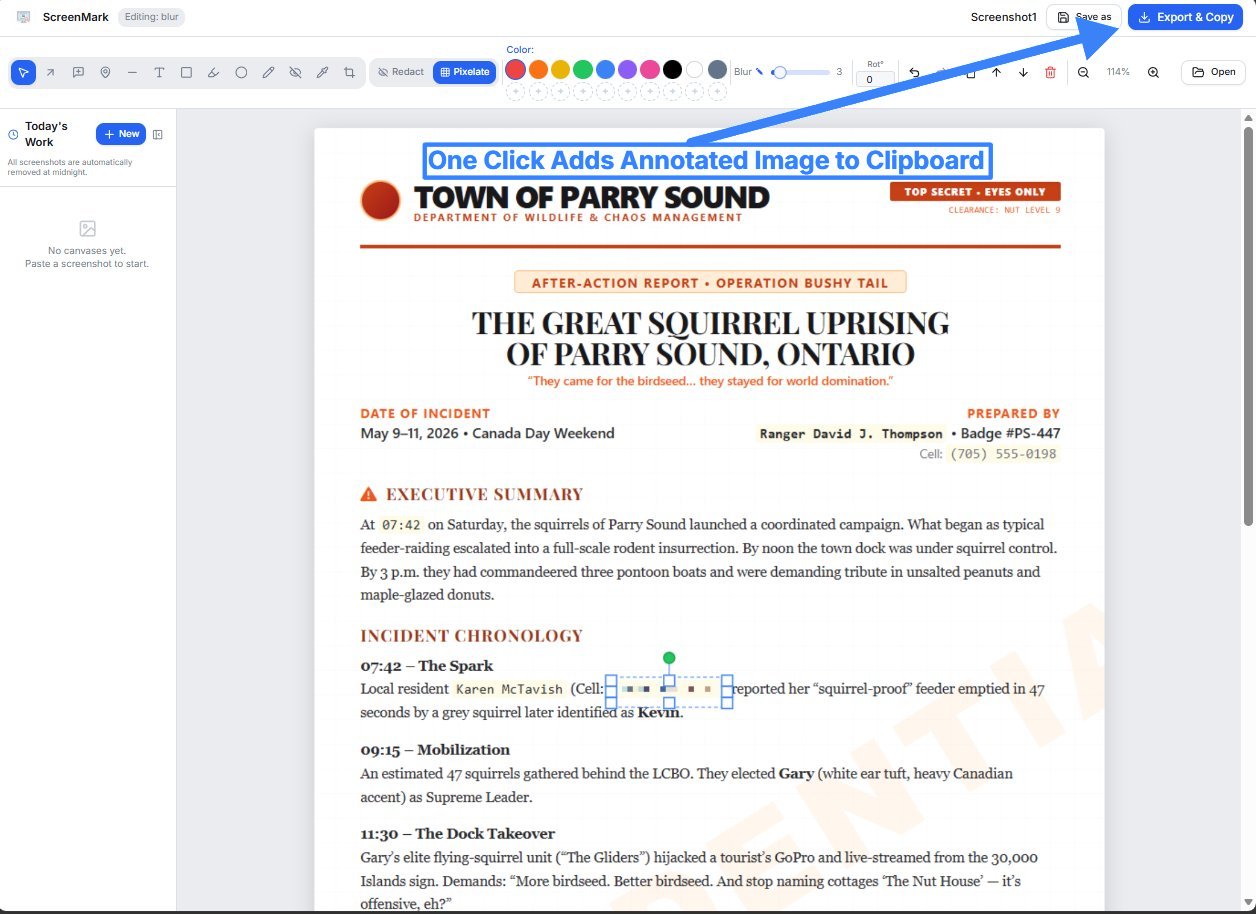
Hit Export & Copy to copy the annotated image directly to your clipboard — ready to paste into Slack, Jira, email, or anywhere else.
Export & Copy also writes a history item you can reopen for a limited time.
ScreenMark Desktop for Windows
Capture on this PC, without cloud history
Press Ctrl+Alt+S to capture your screen, a region, a scrolling page, or a window. The editor opens with the screenshot pasted. Markup stays on this device — it is not saved to ScreenMark cloud history. A later capture auto-saves any unsaved canvas to History on this PC. Free, tiny, and no admin rights needed.
See it in action
Real examples of ScreenMark annotations in the wild.
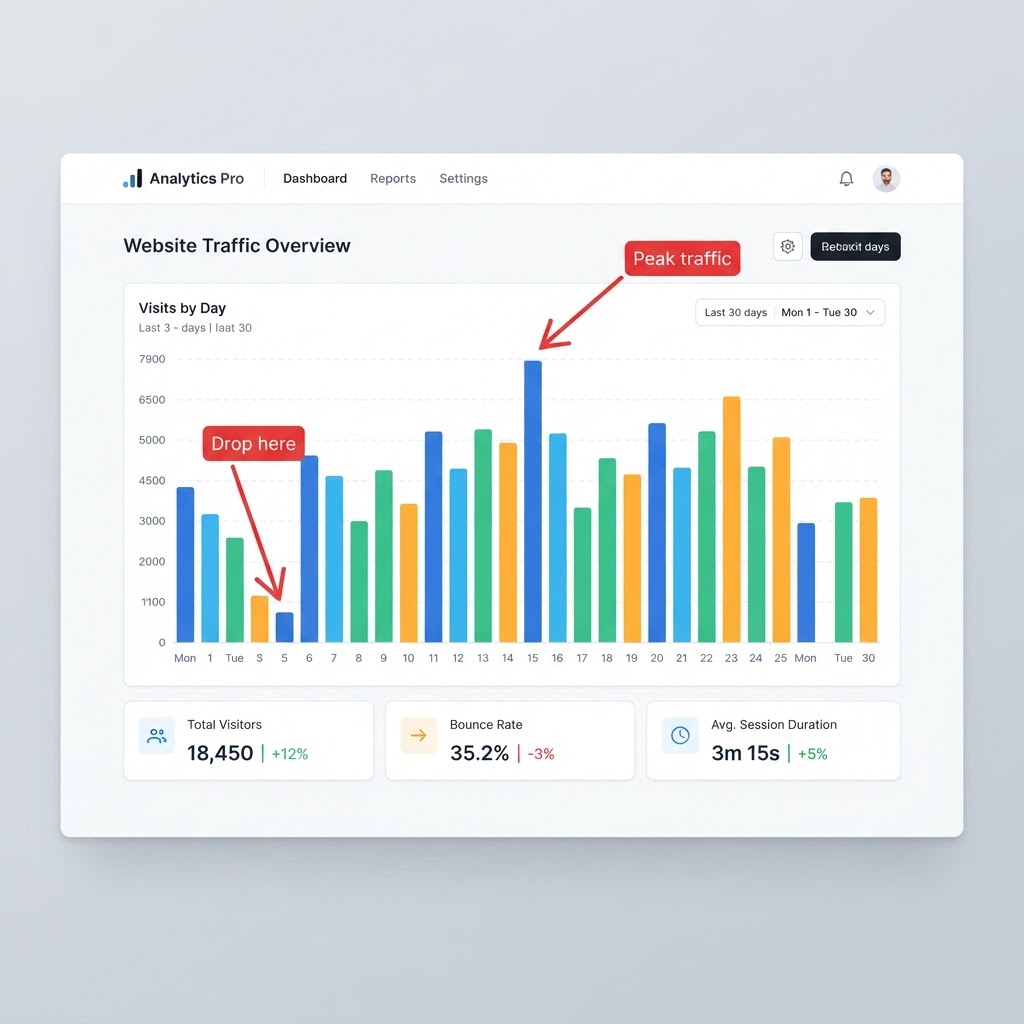
Arrows & Text callouts
Point out exactly what matters with labeled arrows and bold callouts.
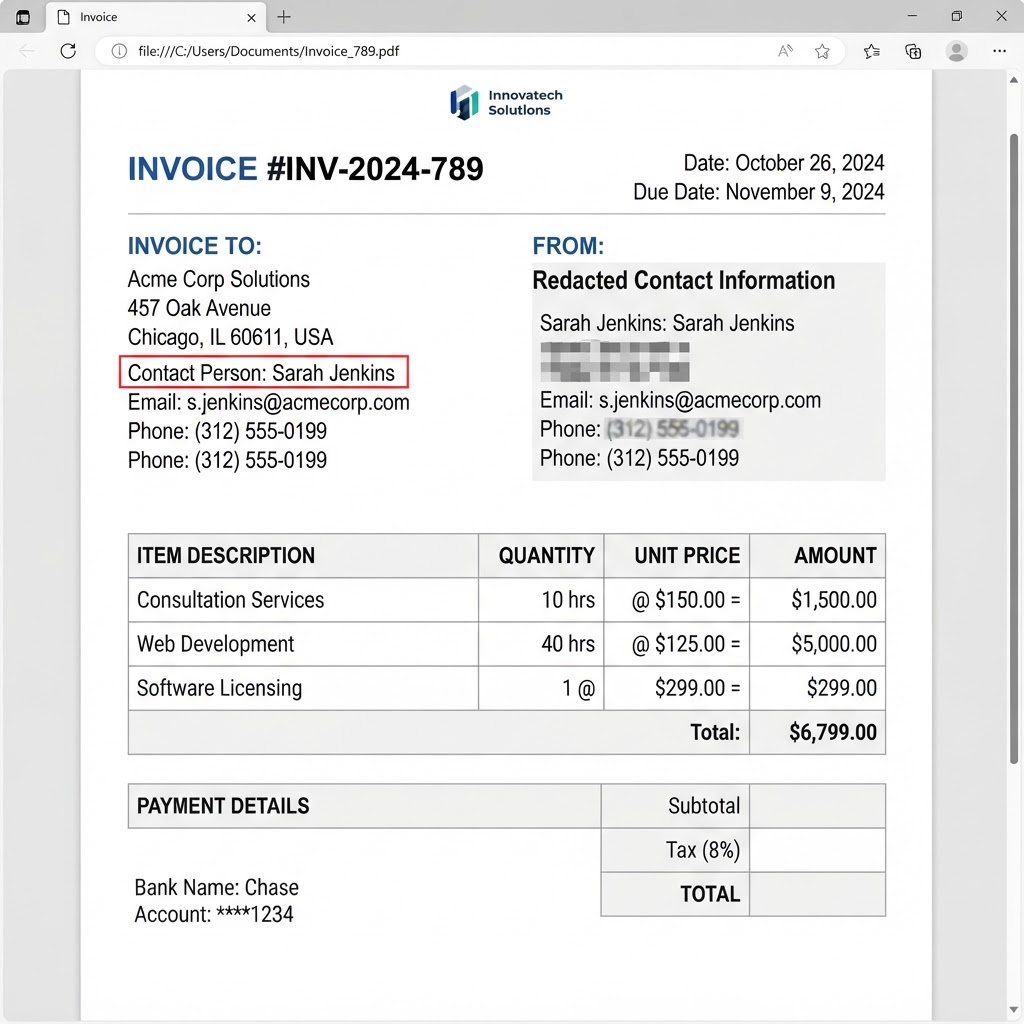
Blur & Redact
Pixelate or solid-fill sensitive areas. Blur is not a guarantee of unrecoverable pixels.
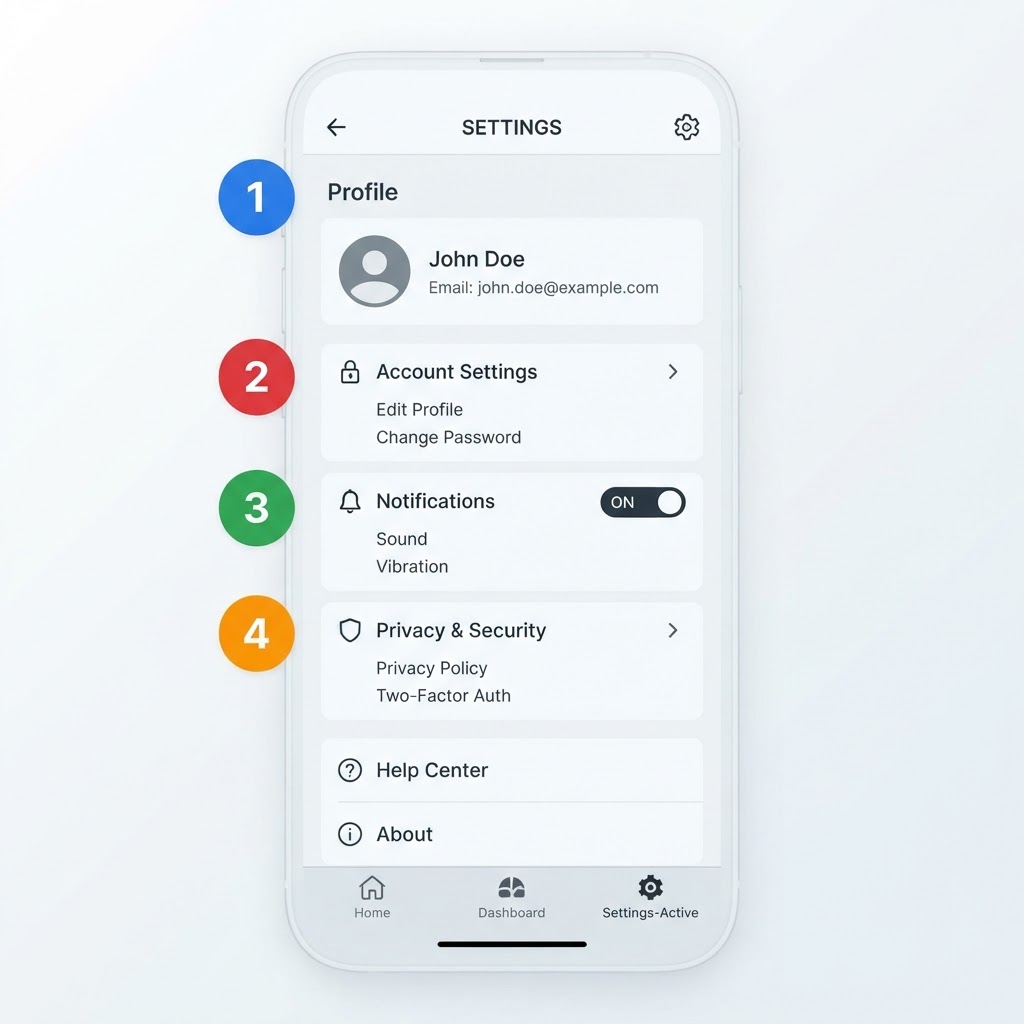
Numbered pin markers
Build clear, ordered step-by-step guides over any screenshot.
Pixelation with noise,
not a simple downscale
Most pixelation tools simply downscale the image — which AI "depixelation" services can partially reconstruct. ScreenMark is different.
Our redaction averages the original pixel data per block and then injects deterministic noise into every channel. That is harder to reverse than a simple downscale. It is not a guarantee that covered pixels are unrecoverable.
Per-block source sampling
Each mosaic block reads directly from the original image pixels — not a rendered canvas copy.
Noise injection per channel
±25 of deterministic noise is added to R, G, and B independently.
Harder than simple depixelation
Noise is meant to disrupt simple “depixelate” / “unblur” patterns. It is not a claim that nothing can be recovered.
Annotation Tools
Everything you need to communicate visually — all in your browser.
Paste & Go
Paste any screenshot from your clipboard and start annotating instantly.
Arrows & Lines
Draw arrows and lines to point out key areas in your screenshots.
Text Annotations
Add text with custom fonts, bold, italic, and resizable labels.
Rectangles
Draw outlined or filled rectangles to highlight regions.
Circles
Outline or filled circles for rounded highlights.
Highlighter
Semi-transparent highlights to draw attention without covering content.
Freehand Drawing
Sketch freely for quick annotations and hand-drawn marks.
Crop
Crop your screenshot to focus on exactly what matters.
Pro Features
Advanced tools grouped together for polished, professional screenshots.
Arrow + Text
Attach text labels directly to arrows for clear callouts.
Blur & Redact
Pixelate or solid-fill sensitive areas. Blur is not a guarantee that covered pixels are unrecoverable.
TearMark – Jagged Torn Edges
Add realistic torn edges to screenshots for documentation, training materials, bug reports, and partial views.
Pin Marks
Numbered pin markers to create ordered callouts on your image.
Eyedropper
Pick any color from your image and use it for annotations.
Customizable Toolbar
Drag & drop to reorder tools for your workflow.
Simple, honest pricing
Less than a coffee. Once a year. No subscription guilt.
Free
$0
forever
- Paste & Go
- Arrows & Lines
- Text Annotations
- Rectangles
- Circles
- Highlighter
- Freehand Drawing
- Crop
- Export & Copy
- History
- Undo / Redo
- Zoom & Pan
- Keyboard Shortcuts
- Persistent Custom Colors
Pro
$9.99
/ year
That's ~$0.83/month. Seriously.
30-day free trial included
- Everything in Free, plus:
- Arrow + Text
- Blur & Redact
- TearMark – Jagged Torn Edges
- Pin Marks
- Eyedropper
- Customizable Toolbar
"We charge less per year than most apps charge per month — on purpose."
Why so cheap? ScreenMark is built by a small team that believes a screenshot tool shouldn't cost $8 a month. $9.99 a year keeps the servers running, the tools evolving, and Pro within reach for everyone who works with screenshots all day.
Built for Speed
Powerful features that stay out of your way.
Export & Copy
One click to copy to clipboard or download as PNG.
History
In a normal browser, Export & Copy can save a history item for a limited time. The Windows app does not sync those edits to the website. Unsaved desktop canvases are auto-saved to History on this PC when a new capture arrives.
Undo / Redo
Full history support so you never lose a change.
Zoom & Pan
Zoom in for pixel-perfect annotations on large images.
Keyboard Shortcuts
Fast tool switching with single-key shortcuts.
Persistent Custom Colors
Edit and save your own 10 default colors across sessions and devices.
Quick Tips
Keyboard shortcuts to speed up your workflow.
Ctrl + VVATRBCtrl + ZCtrl + YDeleteQuestions
The short ones are here. For anything else, ask Mark below.
Ready to annotate?
Start marking up screenshots in seconds.